
STUDIO GUIDE
What photography studio software really costs, and how to work it out
The real cost of studio software is more than the CRM subscription. Add up every tool you pay for (CRM, scheduling, phone line, texting, email marketing, forms and contracts, reviews, social scheduling), every usage charge (texts, calls, AI, emails), card processing fees, and the time you lose moving between tools. Then compare that total, not one headline price, when you choose. This guide gives the method, a clearly labelled worked example with made-up numbers, and the questions to ask any vendor.
By the Allio team. Updated 22 October 2026.

Step 1: list every tool you pay for
Go through your bank or card statement for the last three months and list every software charge. For a portrait studio, the list often includes:
- Studio management or CRM: clients, contracts, invoices
- Online booking and scheduling
- A business phone line or call forwarding app
- Business texting
- Email marketing
- Forms, questionnaires and e-signatures
- Review requests and reputation tools
- Social media scheduling
- Website and hosting
- Gallery delivery and viewing or sales software
- Editing software, cloud storage and accounting
Mark each one as monthly or annual, and convert annual plans to a monthly figure.
Step 2: add the usage charges
Many tools charge by use on top of the subscription: texts and calls, phone numbers, email sends above a limit, AI features, extra team members, and storage. Check a few recent invoices to see what you really paid, not just the plan price.
Card processing fees are separate again. They’re usually charged by your payment provider as a percentage of each payment, so include them when you compare payment features.
Step 3: count the time cost
Every extra tool adds small jobs: copying a client’s details from one app to another, checking three inboxes, matching payments to bookings, chasing a message you saw in the wrong place. Estimate the hours a week, and value them at what your time is worth.
Missed enquiries count too. If calls and DMs live in different places from your client records, some enquiries wait longer than they should. See what missed calls cost.
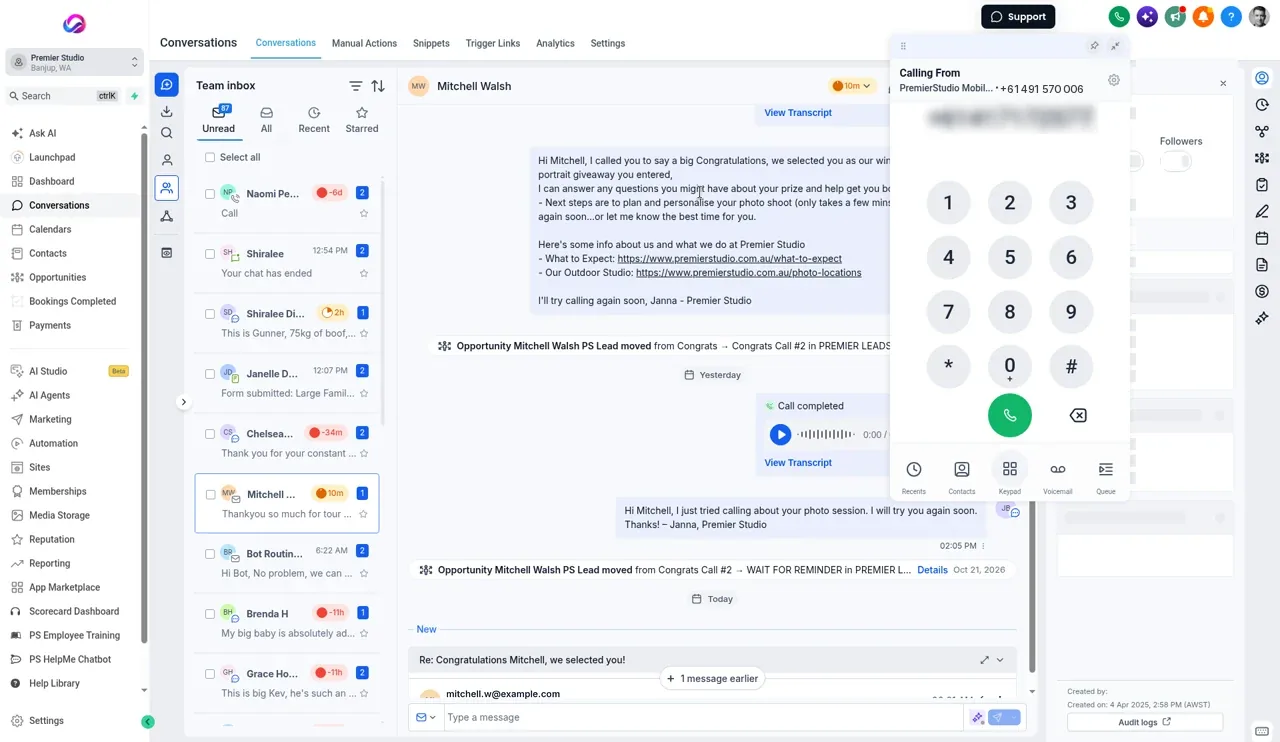
A worked example
Worked example. The numbers are made up to show the method, not a suggested price. Use your own.
A studio pays monthly for: a studio CRM $45, a scheduling tool $15, a phone app $30, a texting tool $40 plus about $20 of message charges, email marketing $35, a review tool $60 and a social scheduler $25. Subscriptions and usage: $270 a month.
The owner also spends about 3 hours a week moving between tools and copying details. Valued at $50 an hour, that’s about $650 a month of time.
Real monthly cost: about $920, not the $45 shown on the CRM’s pricing page.
Your list and numbers will differ. The point is to compare totals, including time, not the cheapest line on a pricing page.
Costs that are easy to miss
- Annual plans charged once a year and forgotten until renewal
- Price rises after an introductory period
- Add-ons such as extra users, extra calendars, or a removal of branding
- Phone numbers charged per number per month
- Message charges that grow in busy seasons
- Integration tools that connect your apps and charge by task
- Duplicate tools doing the same job, such as two schedulers
Each looks small on its own. Together they can be a large share of the total.
Step 4: compare like with like
When you compare an all-in-one platform with separate tools, line them up feature by feature:
| Need | Current tool and cost | Covered by the new option? |
|---|---|---|
| Client records, contracts, invoices | ||
| Online booking | ||
| Business phone and call recording | ||
| Texting and missed call text back | ||
| Instagram and Facebook messages | ||
| Email marketing | ||
| Review requests | ||
| Social scheduling | ||
| AI replies or receptionist |
Only count a tool as replaced if the new option really does the job you need. Keep anything it doesn’t cover, such as editing or gallery software, in both totals.
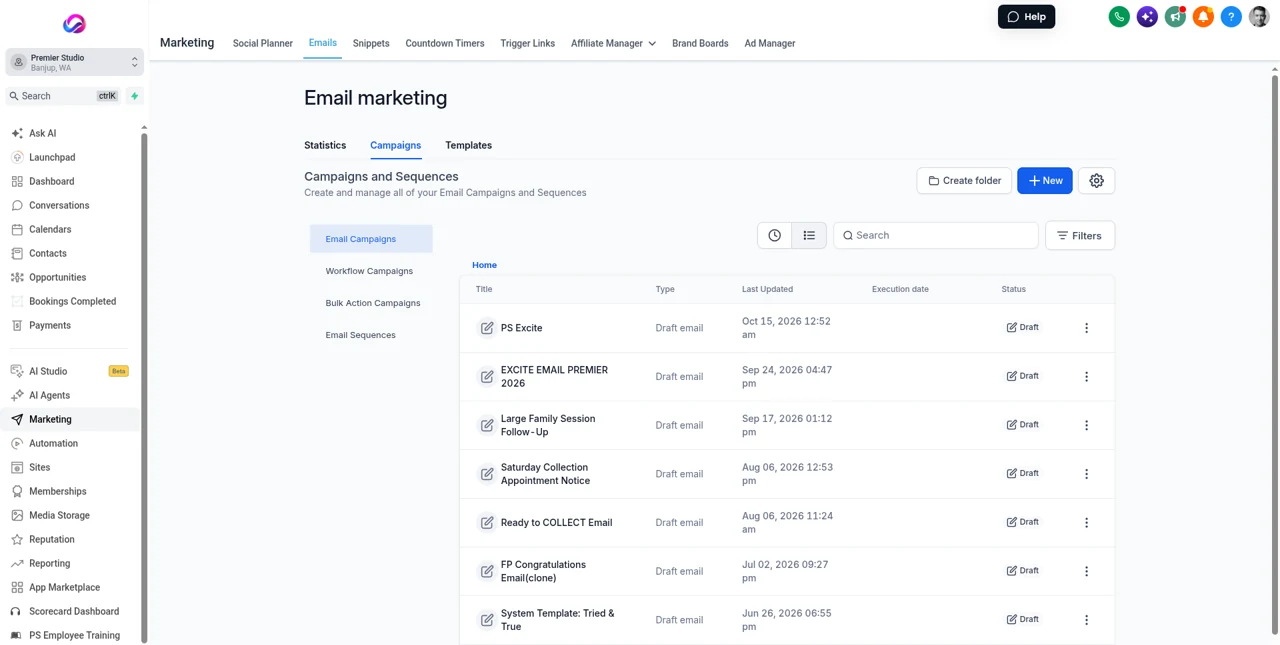
Ask for a walkthrough with your own numbers
Before you switch, ask the vendor to walk through your real setup: how many team members, phone numbers and calendars you need, and roughly how many texts and calls you send in a busy month. Ask them to estimate your usage charges from those numbers, and compare that estimate with your current invoices.
Questions to ask any vendor
- What does it cost after any introductory price ends?
- Is the price per user, and what does each extra team member cost?
- What usage is billed on top: texts, calls, emails, AI, storage?
- Is there a contract or minimum term, and how do I cancel?
- Can I export my clients, messages and files if I leave?
- Who charges card fees, and how much?
- Is setup or migration help included, or extra?
Get the answers in writing, or from the vendor’s pricing and help pages, and check them on the day you decide. Prices change.
Step 5: include the switching cost
Moving software takes time: importing clients, rebuilding forms and templates, moving your phone number, and learning a new system. Ask what help is included, plan the move for a quieter month, and count a few hours of your own time in the comparison. A tool that saves time every week usually repays a one-off move, but it’s worth doing the sums.
How Allio’s pricing works
Allio is $297 per month. AI features are included in the $297 plan. AI and phone usage is billed at cost, on top of the $297. It covers client records, booking, the studio phone line, texting, Instagram and Facebook messages, email marketing, review requests, social scheduling, invoices and AI in one place. Card processing fees are charged by your payment provider.
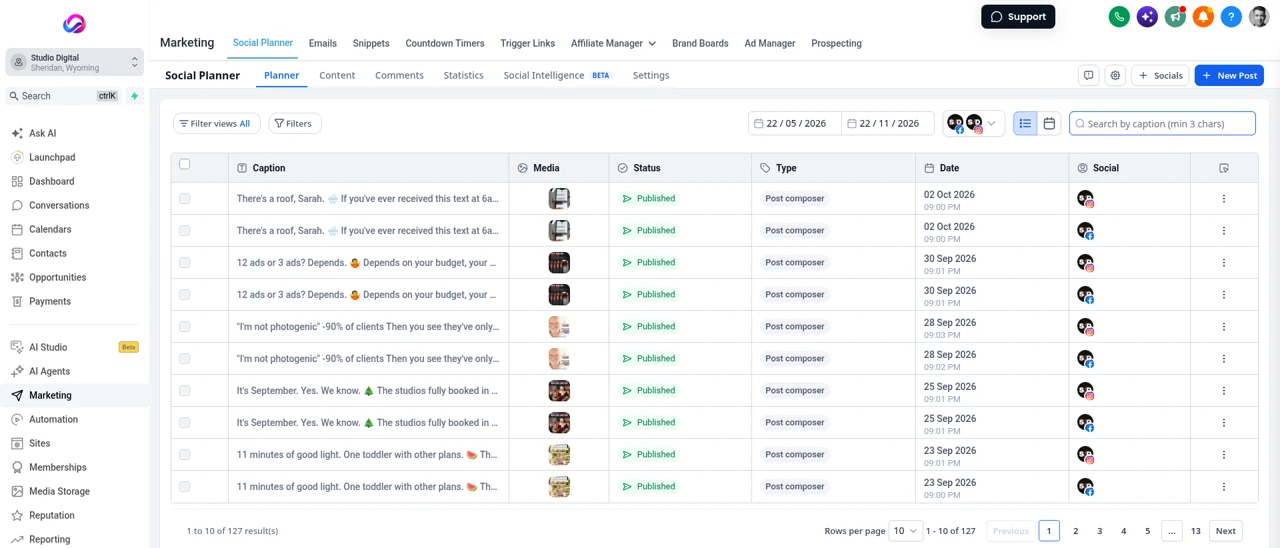
Where Allio fits: See pricing for what’s included, the comparisons for how other studio tools line up, and the best CRM for photographers for a wider view.
Review it once a year
Set a reminder to repeat the list every year. Cancel tools you no longer use, check for price changes, and add up the time cost again. Small subscriptions are easy to forget, and they add up.
A simple decision rule
Choose the option with the lowest total cost that still does everything you need well, and that you’ll actually use every day. A cheaper tool you avoid using costs more than it saves, and an expensive one that saves you hours each week may cost less than it looks.
Software cost questions
How much does photography studio software cost?
It depends on how many tools you use. Add every subscription, usage charge and card fee, plus the time you spend moving between tools, to see your real monthly cost.
What is the cost of a photography CRM?
The CRM is usually one line in a larger total. Compare the full set of tools you need, including phone, texting, email marketing and reviews, not just the CRM price.
Is an all-in-one platform cheaper than separate tools?
Sometimes. Line up the tools it really replaces, add usage charges and the time you save, and compare the totals.
What does Allio cost?
Allio is $297 per month. AI features are included in the $297 plan, and AI and phone usage is billed at cost, on top of the $297.
Are the numbers in the worked example real prices?
No. They’re made up to show the method. Use your own invoices.
How do I find all my software subscriptions?
Go through three months of bank and card statements, list every software charge, and convert annual plans to a monthly figure.
Should I include my time in the cost?
Yes. Value the hours you spend moving between tools and copying details at what your time is worth. In the worked example above, it’s the largest cost.
One platform for the whole studio.
The trial is seven days, card required, and you can be in within minutes.
Want the story first? Read who built Allio and why, or see what a call about Allio covers.
$297 per month. Card required. AI and phone usage is billed at cost, on top of the $297.