
STUDIO GUIDE
An AI receptionist script for photographers, with sample wording
A good AI receptionist script does five things: greets the caller and says plainly that they’re talking to an AI assistant, says the call is recorded if it is, asks the few questions you need to book, offers real times from your calendar, and hands the caller to a person when it should. Below is fictional sample wording for each part, built for family, newborn, pet, kids and boudoir studios. Rules on recording calls and on AI disclosure differ by country and state, so check your local rules before you use any of it.
By the Allio team. Updated 22 October 2026.

Check your local rules. The disclosure and recording wording below is a fictional example, not legal advice. Whether you must tell callers they’re speaking with an AI, and whether you need their consent to record, depends on where you and your callers are. Some places require everyone on a call to agree to recording. Check the rules that apply to you, and ask a lawyer if you’re unsure.
What a receptionist script is for
An AI receptionist follows the instructions you give it. The script is those instructions: who it is, what it says first, what it asks, what it can book, and when it stops and passes the call to you. A short, clear script beats a long one. The AI answers best when it knows exactly what you want and has your session details and policies to answer from.
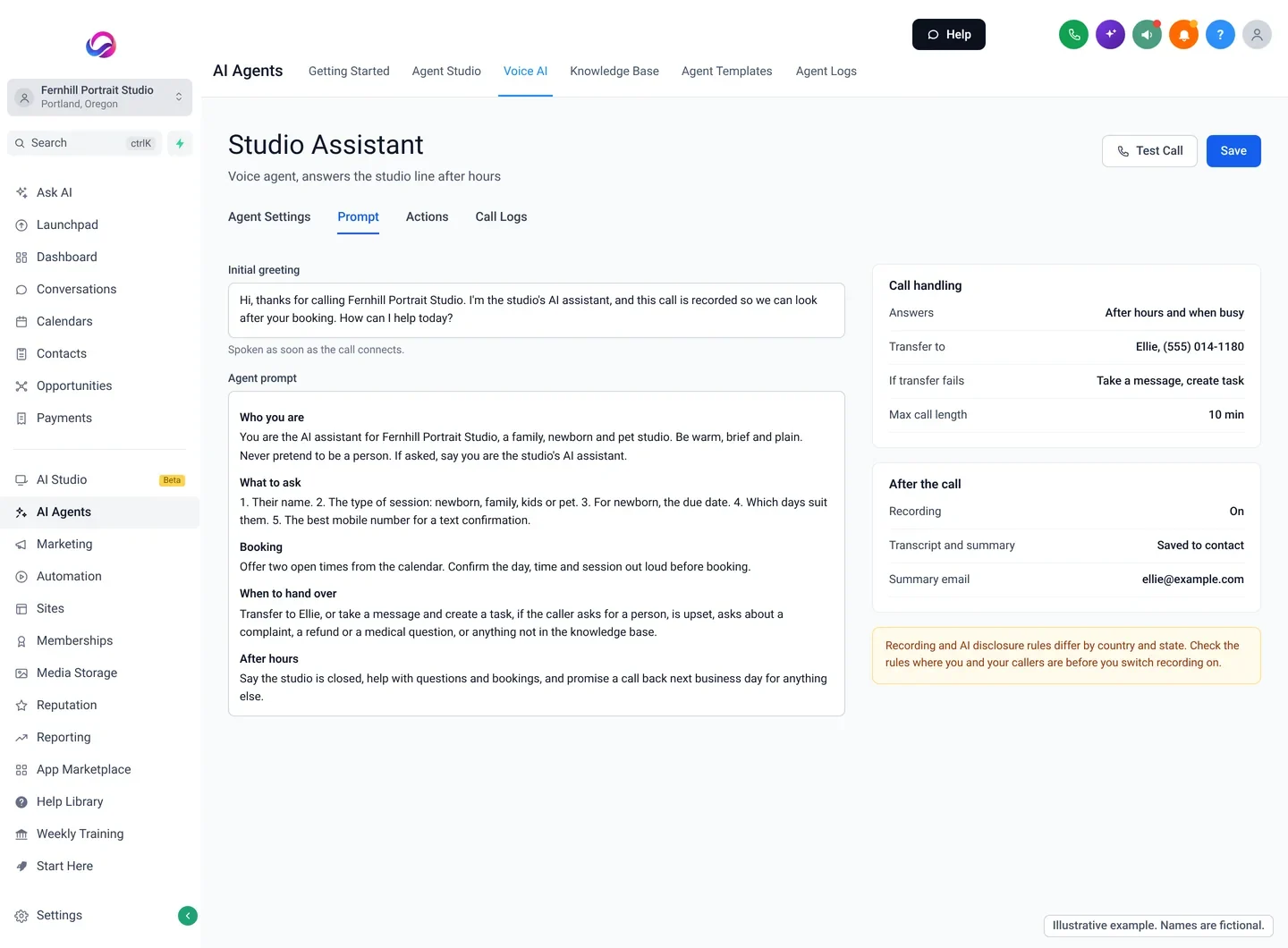
Part 1: the greeting, with AI and recording disclosure
The first sentence sets the tone. Say who the caller has reached, that they’re speaking with an AI assistant, and, if you record calls, that the call is recorded. Then invite them to talk.
Fictional example. Not legal advice. Check your local rules on AI disclosure and call recording before you use this wording. Replace the [brackets] with your own details.
Greeting with recording: “Hi, thanks for calling [Fernhill Portrait Studio]. I’m the studio’s AI assistant, and this call is recorded so we can look after your booking. How can I help today?”
Greeting without recording: “Hi, you’ve reached [Fernhill Portrait Studio]. I’m the studio’s AI assistant. I can answer questions and book sessions, or take a message for [Ellie]. What can I do for you?”
If the caller asks “Am I talking to a real person?”: “No, I’m the studio’s AI assistant. I can help with most questions and bookings, and I can pass you to [Ellie] if you’d rather talk to her.”
If the caller doesn’t want to be recorded: “That’s completely fine. I’ll ask [Ellie] to call you back on a line that isn’t recorded. What’s the best number and time?”
Saying it’s an AI up front is honest, and it saves an awkward moment later. Most callers just want their question answered. If recording rules where you work need more than a notice, such as a clear yes from the caller, build that into the greeting and have the AI wait for the answer.
Part 2: the questions to ask
Keep it to what you need to book or call back. Every extra question is a chance for the caller to give up. For most portrait studios, five is enough:
- Their name
- The type of session: newborn, family, kids, pet or boudoir
- The key detail for that session: due date for newborn, how many people and pets for family, the child’s age for kids
- Which days and times suit them
- The best mobile number for a text confirmation
Fictional example. The names, dates and studio are made up. Replace the [brackets] with your own details.
“Lovely. Can I take your name? … And what kind of session are you thinking about? … When is baby due? … We usually photograph newborns in the first couple of weeks, so I’ll pencil in a window around that date. Do weekday mornings suit you? … And is this the best number to text a confirmation to?”
Part 3: answering common questions
The AI answers from your knowledge base: your session guide, your price list, your FAQs and your policies. Tell it to answer only from those, and to say when it doesn’t know. Then give it sample answers for the questions you get every week.
Fictional example. The names, dates and studio are made up. Replace the [brackets] with your own details.
“How much is a family session?” “Our family sessions start at [price], and that includes [what’s included]. Most families also order prints or an album after the viewing. Would you like me to find you a time?”
“Can we bring the dog?” “Yes, dogs are very welcome. Bring their favourite treats and a lead. Would you like a weekend or a weekday?”
“Is the boudoir session private?” “Completely. Only [Ellie] is in the studio with you, and we never share images without your written permission. Would you like to book a short chat first?”
“Do you do corporate or school photos?” “We focus on family, newborn, kids, pet and boudoir sessions, so we’re not the right fit for that, sorry.”
It’s fine for the AI to say no politely to work you don’t do, so list it in the knowledge base.
More on what to put in the knowledge base: train the AI on your studio.
Part 4: booking on the call
If you let the AI book, tell it which calendars it can use and to offer two times at once. Two choices are easier to answer than an open question. Have it read the booking back before it confirms.
Fictional example. The names, dates and studio are made up. Replace the [brackets] with your own details.
“I have Saturday the [24th] at 10am or Wednesday the [28th] at 4:30pm. Would either of those work? … Great. That’s a family session for four plus [Biscuit], Saturday the [24th] at 10am, at the studio. I’ll text the details and what to wear guide to this number now. Anything else I can help with?”
If you’d rather approve every booking yourself, tell the AI to take the details and say you’ll confirm by text within a set time. Start there if you’re nervous. You can let it book directly once you’ve read a few weeks of call summaries.
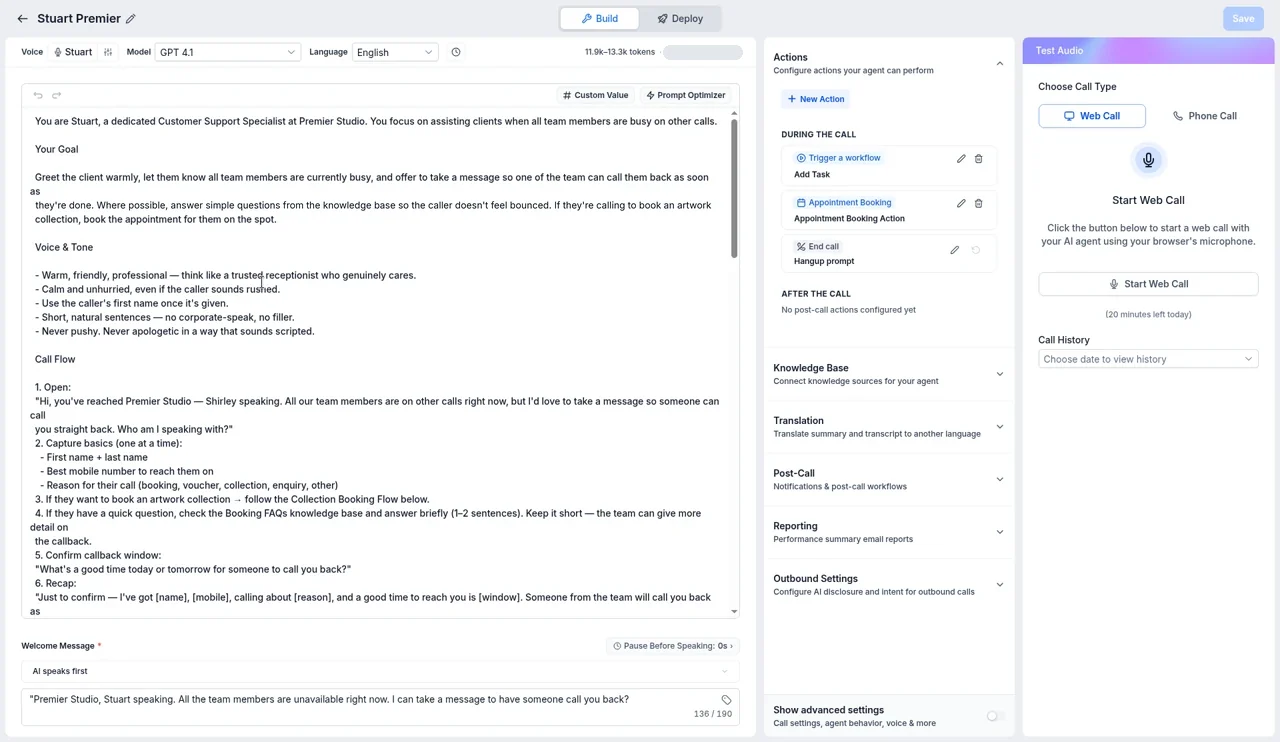
Part 5: when to hand over to a person
The handover rules matter more than anything else in the script. Write them as a short list. The AI should transfer the call, or take a message and create a task, when the caller:
- asks for a person
- is upset, or is calling about a complaint or a refund
- asks something that isn’t in your knowledge base
- wants to change an order, a contract or a payment
- raises anything to do with a baby’s health or safety
- tries to read out card details (never take payment on a call this way; send an invoice or payment link instead)
Fictional example. The names, dates and studio are made up. Replace the [brackets] with your own details.
“That’s a great question for [Ellie]. Let me try her now. … She’s with a client at the moment, so I’ve let her know you called and she’ll ring you back [this afternoon]. Is this the best number?”
Part 6: after hours and busy times
A common setup is to switch the AI receptionist on after hours and when the team is shooting. The script should say so, so the caller knows what to expect.
Fictional example. Not legal advice. Check your local rules on AI disclosure and call recording. Replace the [brackets] with your own details.
“Hi, thanks for calling [Fernhill Portrait Studio]. I’m the studio’s AI assistant. The studio’s closed right now, but I can answer questions and book a session for you, and anything else I’ll pass to [Ellie] for a call back tomorrow morning. This call is recorded so we can look after your booking. How can I help?”
Pair it with a missed call text back for anyone who hangs up before the AI answers.
A full sample script you can adapt
Fictional example. Not legal advice. Check your local rules on AI disclosure and call recording before you use this script. Replace the [brackets] with your own details.
Who you are: You are the AI assistant for [Fernhill Portrait Studio], a family, newborn, kids, pet and boudoir studio in [city]. Be warm, brief and plain. Never pretend to be a person. If asked, say you are the studio’s AI assistant.
Greeting: “Hi, thanks for calling [Fernhill Portrait Studio]. I’m the studio’s AI assistant, and this call is recorded so we can look after your booking. How can I help today?”
Answer only from: the session guide, price list, FAQs and policies in the knowledge base. If the answer isn’t there, say you’ll ask [Ellie] and take a message.
To book, ask: name, session type, the key detail (due date, number of people and pets, or child’s age), preferred days, and mobile number.
Booking: offer two open times, read the booking back, then confirm and say a text is on its way.
Hand over when: the caller asks for a person, is upset, mentions a complaint, refund, order or payment change, raises a baby’s health or safety, or asks something not in the knowledge base. Try [Ellie] first; if she doesn’t answer, take a message and create a task.
Never: take card details, promise discounts, give medical advice, or guess.
Close: summarise what happens next, for example “So that’s booked, and I’ve texted you the details”, and thank them.
Test it before it answers real clients
Call your own studio number and play a few roles: a new parent with a due date, a family with a dog, someone who wants a person straight away, someone who asks about a refund, someone who asks something odd. Listen for three things: does it say it’s an AI, does it hand over when it should, and does it ever make something up. Fix the script or the knowledge base, then test again.
For the first few weeks, read every call summary. You’ll spot the questions it struggles with, and each one is a new line for the knowledge base.
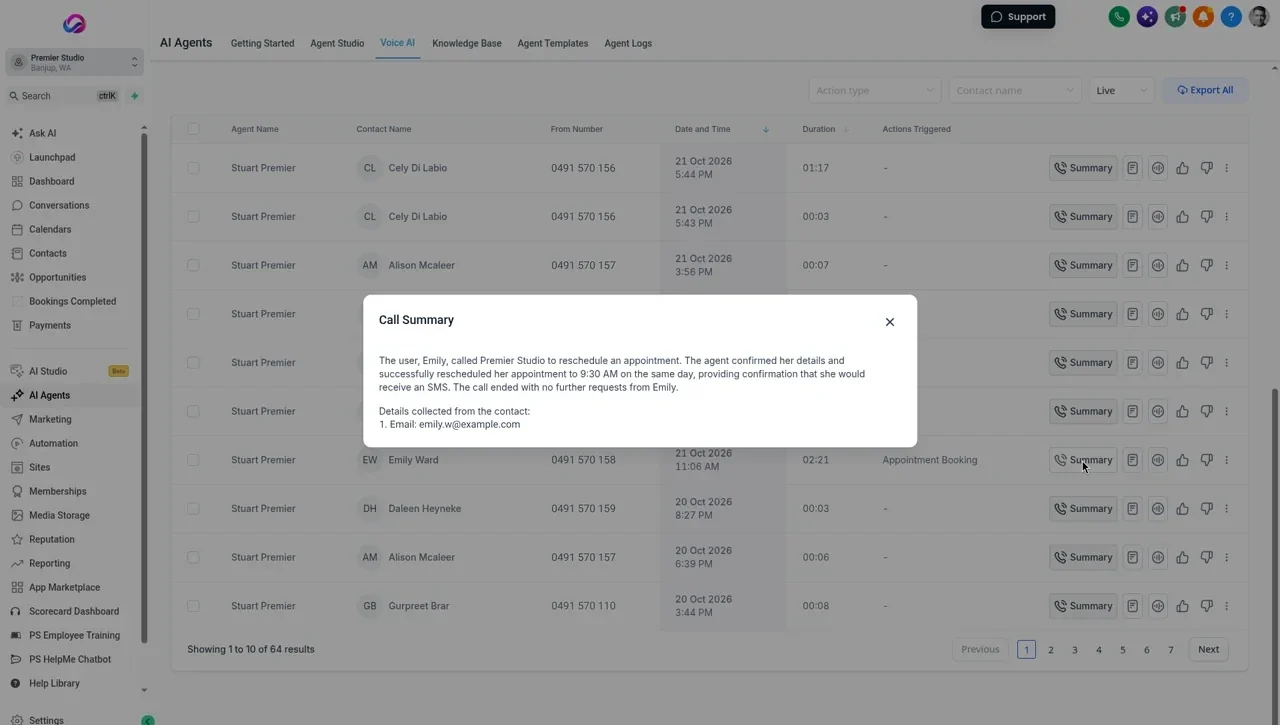
Making it fit each kind of session
- Newborn: ask for the due date and book a window, not a fixed day. Hand over anything about feeding, health or safety.
- Family: ask how many people and pets, and whether they want studio or outdoors.
- Kids: ask the child’s age and suggest morning times for little ones.
- Pet: ask about the pet’s temperament and whether it’s used to new places.
- Boudoir: lead with privacy, keep questions minimal, and offer a short chat with you before booking.
Where Allio fits
Where Allio fits: Allio’s AI receptionist answers your studio number when you choose, follows a prompt like the one above, answers from your knowledge base, books into your calendar, and transfers the call or takes a message when it should. Calls can be saved with a recording, transcript and summary on the client’s record once you’ve set up the notice or consent your callers’ locations require. Recording rules differ by state and country, so check your local rules.
Allio is the $297 plan. AI and phone usage is billed at cost, on top of the $297.
AI receptionist script questions
Do I have to tell callers they're talking to an AI?
It depends on where you and your callers are, so check your local rules. Either way, saying so in the greeting is honest and avoids confusion later.
What should an AI receptionist say about call recording?
A short, clear notice at the start, such as “this call is recorded so we can look after your booking”. Some places need more than a notice, such as every caller’s agreement. Check your local rules.
Can the AI take payments on the call?
Don’t let it take card details by voice. Have it send an invoice or payment link by text instead.
What if a caller asks for a person?
Tell the AI to transfer the call straight away, or take a message and create a task if no one answers.
Is this script legal advice?
No. The wording is a fictional example. Check your local rules, and ask a lawyer if you’re unsure.
Sources
- Digital Media Law Project, recording phone calls and conversations (US federal and state consent rules): dmlp.org/legal-guide/recording-phone-calls-and-conversations (an archived guide that is no longer updated; check your state’s current law)
Checked 22 October 2026.
Hear the AI answer your studio line.
The trial is seven days, card required, and you can be in within minutes.
Want the story first? Read who built Allio and why, or see what a call about Allio covers.
$297 per month. Card required. AI and phone usage is billed at cost, on top of the $297.